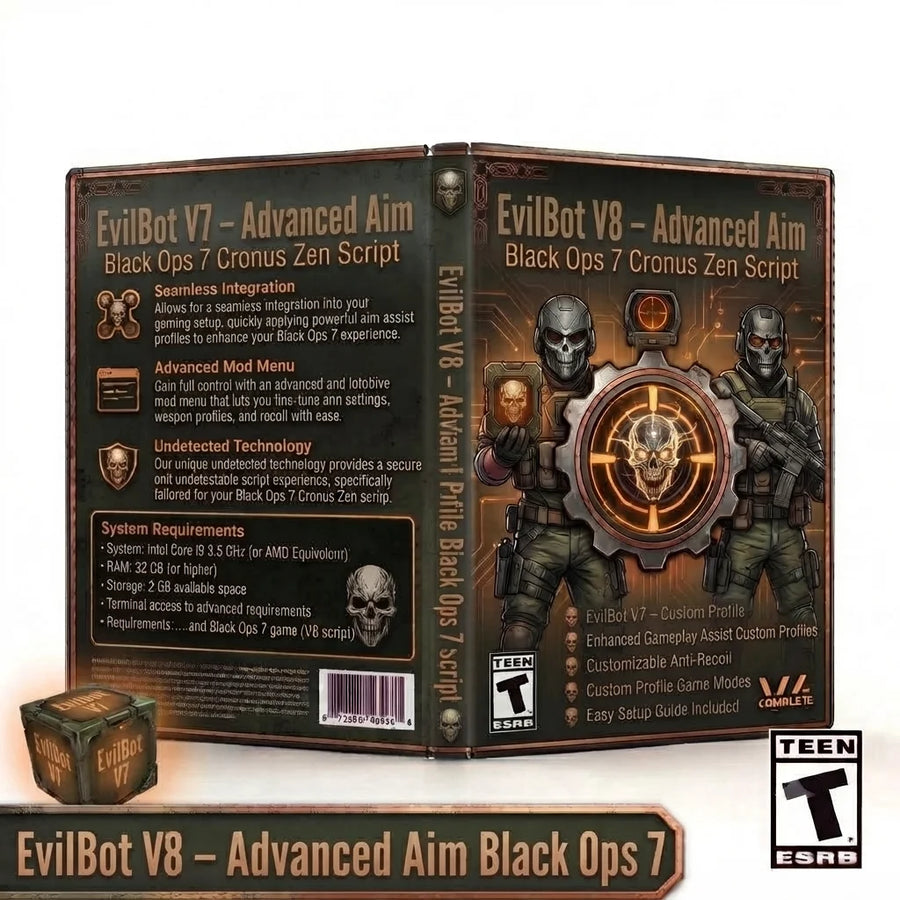
Eclipse V9 Black Ops 7 Cronus Zen Script digital product artwork featuring advanced aim assist, anti-recoil, weapon profiles, Shake Style controls and profile switching for Call of Duty Black Ops 7.

Eclipse V9 – Advanced Black Ops 7 Cronus Zen Script

$29.99
Skip to product information
Eclipse V9 Black Ops 7 Cronus Zen Script digital product artwork featuring advanced aim assist, anti-recoil, weapon profiles, Shake Style controls and profile switching for Call of Duty Black Ops 7.

Eclipse V9 – Advanced Black Ops 7 Cronus Zen Script

$29.99

Eclipse V9 is an updated Black Ops 7 Cronus Zen script built around configurable aim systems, detailed recoil control, weapon profiles and controller tuning through its OLED-driven Eclipse Setup menu.

V9 retains the core Eclipse aim options from V8—including Shake Assist, Human Behavior, Ghost Tracker and Silent Aim—while adding a new Shake Style control for extra aim-assist customisation. The update also introduces a Profile Switch system with Automatic and Manual switching options plus a Melee-related setting, giving players more control over how Primary, Secondary and Ground Loot profiles are handled during gameplay.

Key Features

  • Updated Eclipse V9 configuration
  • Multiple adjustable Aim Assist modes
  • Shake Assist
  • New Shake Style control
  • Adjustable Shake Type, radius and speed
  • Adjustable boost radius and speed
  • Human Behavior aim mode
  • Ghost Tracker aim mode
  • Silent Aim option
  • Adjustable Anti-Recoil
  • Independent vertical and horizontal recoil tuning
  • Primary weapon profile
  • Secondary weapon profile
  • Ground Loot profile
  • Built-in weapon-selection menu
  • Universal weapon tuning option
  • New Profile Switch system
  • Automatic and Manual profile-switch options
  • Melee-related profile-switch option
  • Auto Ping
  • Auto Slide
  • Drop Shot
  • Hold Breath
  • Hair Triggers
  • Controller rumble controls
  • Left and right deadzone adjustment
  • Flipped and inverted controls
  • Multiple button-layout presets
  • Southpaw and Legacy stick-layout support
  • OLED Eclipse Setup menu
  • Selectable screen-saver styles
  • Saved settings

For Black Ops 7, Eclipse V9 keeps the detailed class and weapon-profile structure of Eclipse while expanding the controls available for aim behaviour and profile switching. It is designed for players who want to tune multiple loadouts, recoil values and controller settings from one organised script.

Requirements

  • Cronus Zen device
  • Compatible controller
  • Zen Studio
  • Call of Duty: Black Ops 7
Fast digital accessAccess your files after checkout
Setup guidanceClear guides for installation
Support availableHelp when you need it

Source-verified controller guide

How to use this script

Open the menu, navigate settings, change values and save your configuration using the exact controls for this product.

Eclipse V9 Black Ops 7 Cronus Zen Script digital product artwork featuring advanced aim assist, anti-recoil, weapon profiles, Shake Style controls and profile switching for Call of Duty Black Ops 7.

Black Ops 7 instructions

Eclipse V9

Exact controller menu controls and setup flow for Advanced Black Ops 7.

Menu controls

PlayStation / Xbox equivalents are shown together

Open / activate

Hold ADS (default L2/LT) and press Options/Menu to open the main Eclipse V9 menu. From the home screen, hold ADS and press Share/View to open the separate weapon editor.

Navigate & adjust

Main menu: D-pad Left/Right changes the highlighted category. Inside a category or editor, use the displayed D-pad directions to move between fields and adjust values; held directions repeat on supported numeric settings. Triangle/Y changes the available profile or special option where shown. Eclipse V9 also includes the new Shake Style and Profile Switch controls within its OLED configuration flow.

Select & back

Cross/A enters the highlighted category or editor. Circle/B returns to the previous level. In the separate weapon editor, follow the OLED prompts for weapon and profile selection.

Save & exit

Press Circle/B from the top-level main menu. Eclipse V9 writes its persistent settings and returns to the home screen.

Eclipse V9 keeps the two Eclipse configuration paths: ADS + Options/Menu opens the main settings menu, while ADS + Share/View opens the separate weapon editor. V9 adds Shake Style plus Profile Switch options, including Automatic and Manual switching modes.

How to use this script

Recommended setup order

  1. Program the script

    Add Eclipse V9 – Advanced Black Ops 7 Cronus Zen Script to an available Cronus Zen slot in Zen Studio and program the device.

  2. Match your controller setup

    Confirm the intended button layout, trigger layout, sensitivity, response curve, and deadzone settings for Black Ops 7 before tuning script values.

  3. Open and configure

    Hold ADS (default L2/LT) and press Options/Menu to open the main Eclipse V9 menu. From the home screen, hold ADS and press Share/View to open the separate weapon editor. Main menu: D-pad Left/Right changes the highlighted category. Inside a category or editor, use the displayed D-pad directions to move between fields and adjust values; held directions repeat on supported numeric settings. Triangle/Y changes the available profile or special option where shown. Eclipse V9 also includes the new Shake Style and Profile Switch controls within its OLED configuration flow.

  4. Save and test

    Press Circle/B from the top-level main menu. Eclipse V9 writes its persistent settings and returns to the home screen. Change one value at a time and test the result in a training, practice, or private environment.

Verified values

Best settings for Eclipse V9 – Advanced Black Ops 7 Cronus Zen Script

Start with the original numeric values included in this script. These defaults provide the intended baseline before any personal fine-tuning.

Product-specific settings Server-rendered values
Eclipse V9 Black Ops 7 Cronus Zen Script digital product artwork featuring advanced aim assist, anti-recoil, weapon profiles, Shake Style controls and profile switching for Call of Duty Black Ops 7. Settings verified

Recommended starting configuration

Eclipse V9

24 settings
All Aim Profiles - Shake Assist ON
All Aim Profiles - Shake Style Type 1
All Aim Profiles - Shake Type Circle
All Aim Profiles - Shake Radius 12
All Aim Profiles - Shake Speed 8
All Aim Profiles - Boost Strength 0
All Aim Profiles - Boost Speed 0
All Aim Profiles - Human Behavior High
All Aim Profiles - Ghost Tracker OFF
All Aim Profiles - Silent Aim OFF
Button Layout Default
Controller Rumble OFF
Deadzone Left 1
Deadzone Right 1
Flipped OFF
Hair Triggers ON
Inverted OFF
Stick Layout Default
Auto Ping OFF
Auto Slide OFF
Drop Shot OFF
Hold Breath OFF
Profile Switch Manual
Screen Saver OFF
Use these as the baseline

Only adjust values when your in-game sensitivity, deadzones or controller setup require it. Change one value at a time and save before testing.

Complete your setup

You may also like

Explore more game-ready scripts selected to complement this product and expand your Cronus Zen library.
Instant digital access Game-specific scripts Setup guidance included
  • 5 stars: 19 (76%)
  • 4 stars: 5 (20%)
  • 3 stars: 1 (4%)
  • 2 stars: 0 (0%)
  • 1 star: 0 (0%)
J
Jordan
Melts lobbies now

Grabbed this for Black Ops 7 and the difference was noticeable from the very first match. What sold me was the Silent Aim; it makes a real difference in longer gunfights. Ten out of ten, does exactly what it claims.

G
Gage
Highly recommend this one

Was running stock for ages, switched to this, and Black Ops 7 feels like a new game. I love that you can tune the horizontal recoil control per class instead of one blanket setting. Money well spent, no question about it.

F
Finn
No overkill, just clean aim

Grabbed this for Black Ops 7 and the difference was noticeable from the very first match. Being able to edit Primary and Secondary profiles separately is a huge plus. This one's staying on my Zen for good.

B
Bryson
Every gunfight feels winnable

Only had it a few days but this Black Ops 7 setup is already my favorite. Adjusting the OLED setup through the OLED screen mid-session is so convenient. My KD has climbed steadily since I started using it.

R
Ryan
Snappy and responsive

Set it up on my Zen last week and I've been beaming lobbies ever since. Being able to edit Primary and Secondary profiles separately is a huge plus. Consistent results every time I load in.

D
Drew
Deadzone fix alone is worth it

Coming from another paid script and this blows it out of the water. The Ground Loot profile kept my recoil flat even on the higher fire-rate weapons. No crashes, no weirdness, just clean performance.

K
Kayla
Genuinely surprised how good

Was running stock for ages, switched to this, and Black Ops 7 feels like a new game. The Ghost Tracker kept my recoil flat even on the higher fire-rate weapons. Zero regrets, would recommend to anyone on a Zen.

R
Ryan
My KD finally makes sense

Downloaded, flashed to the Zen, and had it running in under five minutes. Once I got the Silent Aim tuned to my playstyle everything just clicked. Can't imagine going back to the stock feel.

Z
Zach
My squad noticed instantly

Loaded it up, tweaked a couple values in the OLED menu, and I was set within minutes. What sold me was the saved settings system; it makes a real difference in longer gunfights. My KD has climbed steadily since I started using it.

K
Kayla
Locked in and consistent

Coming from another paid script and this blows it out of the water. What sold me was the Human Behavior mode; it makes a real difference in longer gunfights. Zero regrets, would recommend to anyone on a Zen.

C
Cole
Smooth as butter

Got this on a recommendation and now I'm telling my whole squad about it. The OLED setup feels natural — nothing about it screams obvious like some scripts do. Support was quick to answer my one setup question too.

N
Nolan
Precise without feeling fake

Picked this up after struggling with the free configs and it's a whole different level. Once I got the Universal tuning option tuned to my playstyle everything just clicked. Couldn't be happier with how it performs.

C
Corey
Handles every weapon class

Coming from another paid script and this blows it out of the water. The horizontal recoil control feels natural — nothing about it screams obvious like some scripts do. Solid work by the devs, very happy with it.

M
Micah
This config just works

Got this on a recommendation and now I'm telling my whole squad about it. I spent time dialing in the Ground Loot profile and now every weapon feels controllable. Zero regrets, would recommend to anyone on a Zen.

T
Tanner
Fire rate control is perfect

Honestly didn't expect this much of a jump in performance for Black Ops 7. The aim assist handled every weapon I threw at it without needing constant tweaks. Can't imagine going back to the stock feel.

K
Keegan
Consistency went way up

Loaded it up, tweaked a couple values in the OLED menu, and I was set within minutes. The saved settings system is subtle enough to feel legit but strong enough to actually help. Zero regrets, would recommend to anyone on a Zen.

J
Jayden
Zero complaints so far

Bought this mostly on a whim and it turned out to be the best decision for Black Ops 7. The Universal tuning option handled every weapon I threw at it without needing constant tweaks. Money well spent, no question about it.

C
Cash
Solid script, zero regrets

My Black Ops 7 gameplay went from average to actually competitive after installing this. I love that you can tune the class profiles per class instead of one blanket setting. Ten out of ten, does exactly what it claims.

W
Wade
Clean and easy to configure

Started using this on my Zen and my Black Ops 7 sessions have been night and day. Being able to edit Primary and Secondary profiles separately is a huge plus. Zero regrets, would recommend to anyone on a Zen.

L
Levi
Best script I've run on my Zen

Was running stock for ages, switched to this, and Black Ops 7 feels like a new game. The aim assist combined with the recoil values had me hitting shots I normally miss. Definitely picking up the other configs from these guys.

G
Gage
Set and forget quality

My Black Ops 7 gameplay went from average to actually competitive after installing this. Once I got the deadzone tuning tuned to my playstyle everything just clicked. Definitely picking up the other configs from these guys.

K
Kayla
Setup took two minutes

Got this on a recommendation and now I'm telling my whole squad about it. The Human Behavior mode combined with the recoil values had me hitting shots I normally miss. Support was quick to answer my one setup question too.

L
Liam
Aim assist feels natural

Picked this up after struggling with the free configs and it's a whole different level. The Silent Aim handled every weapon I threw at it without needing constant tweaks. This one's staying on my Zen for good.

A
Austin
Top tier config

Started using this on my Zen and my Black Ops 7 sessions have been night and day. I appreciate how the recoil control lets me fine-tune instead of forcing one preset. Definitely picking up the other configs from these guys.

G
Gavin
Exactly what I needed

The setup process was way simpler than I expected for Black Ops 7. Being able to edit Primary and Secondary profiles separately is a huge plus. No crashes, no weirdness, just clean performance.